

Walkthrough
How Drone Matrix works
Follow the three-layer workflow and see Scan, Length and the FX Matrix in use.
BFractal Systems
Launch price · $29.00
Includes 30 bonus sound sources and 10 bonus presets.
Couldn't load pickup availability
Create the atmosphere your track needs. Drone Matrix is a three-layer instrument for Ableton Live 12 Suite. Build deep drones, evolving pads, cinematic beds, detailed textures and rhythmic pulses without leaving your session.
Start with 93 original audio sources. Body gives your sound weight and low-frequency depth. Grain brings organic detail from recordings of real-world objects and materials. Air adds lighter textures and vocal elements. Choose a different source for each layer, set its volume and pitch independently, or load your own samples into the instrument.
Most included sources run for around 16 seconds and hold far more than one static sound. Use Scan to explore a recording and choose the region you want to hear. Set Length to move from tiny fragments to longer passages. Shape the start of the sound with the global Attack control.
The FX Matrix adds movement, texture and space with chorus, flanger, erosion, distortion, low- and high-pass filters, pitch modulation, panning, pulse, delay and reverb. Two independent preset banks give you 20 instrument setups and 20 FX setups: 400 pairings to explore before you edit a control. Move Scan within a pairing and you can uncover a different texture again.
Use the sounds you make in commercial tracks, soundtracks and your own sound products. The original included files cannot be redistributed in the form supplied; see the Drone Matrix licence for full terms.
Format and compatibility: Ableton Live Rack. Requires Ableton Live 12 Suite on macOS or Windows. Drag it into your Live project to start. Max for Live is included with Suite; no third-party plug-ins are required.
In stock
View full details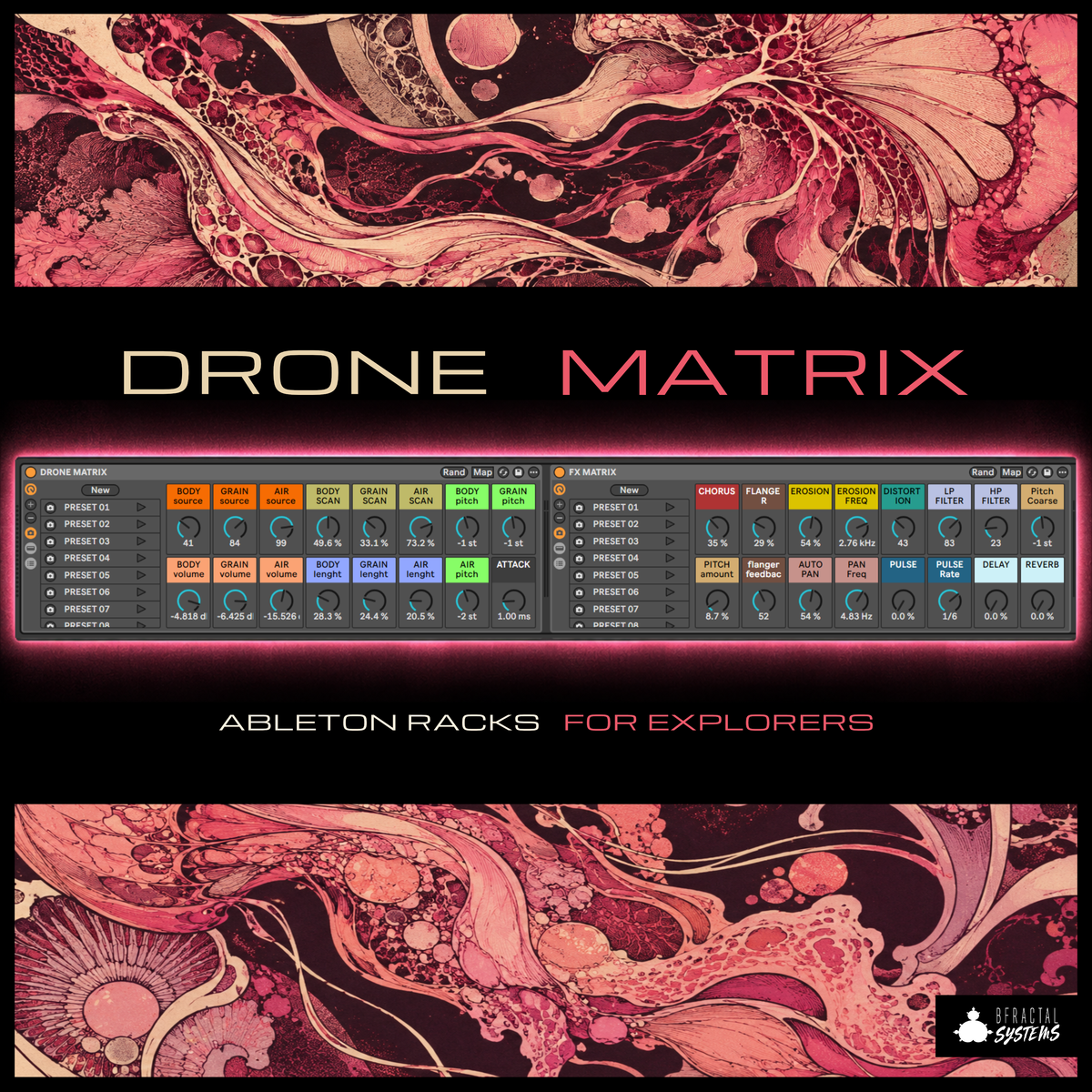
Watch and listen
Watch the walkthrough, then hear the presets in the sound demo.
Follow the three-layer workflow and see Scan, Length and the FX Matrix in use.
Hear different combinations of the instrument and FX preset banks.
01 / The sound engine
Start with three different kinds of material. Choose a source for each layer, then set its volume and pitch independently.
Foundation
Texture
Atmosphere
Your samples belong here too. Load your own audio into the three layers and combine it with the included material.
02 / Shape and transform
Most of the included recordings run for around 16 seconds. Scan moves through a recording; Length sets how much of the chosen region plays, from a small fragment to a longer passage.

The FX Matrix
Transform the three-layer mix with ten effects. Keep it subtle or push the controls until the source becomes something else.
TextureChorus · Flanger · Erosion · Distortion
MotionLP/HP filters · Pitch modulation · Panning · Pulse
SpaceDelay · Reverb

03 / Starting points
Choose one of 20 Drone Matrix instrument setups and pair it with one of 20 FX Matrix setups. Every control stays editable. Move Scan and the same pairing can reveal a different sound.